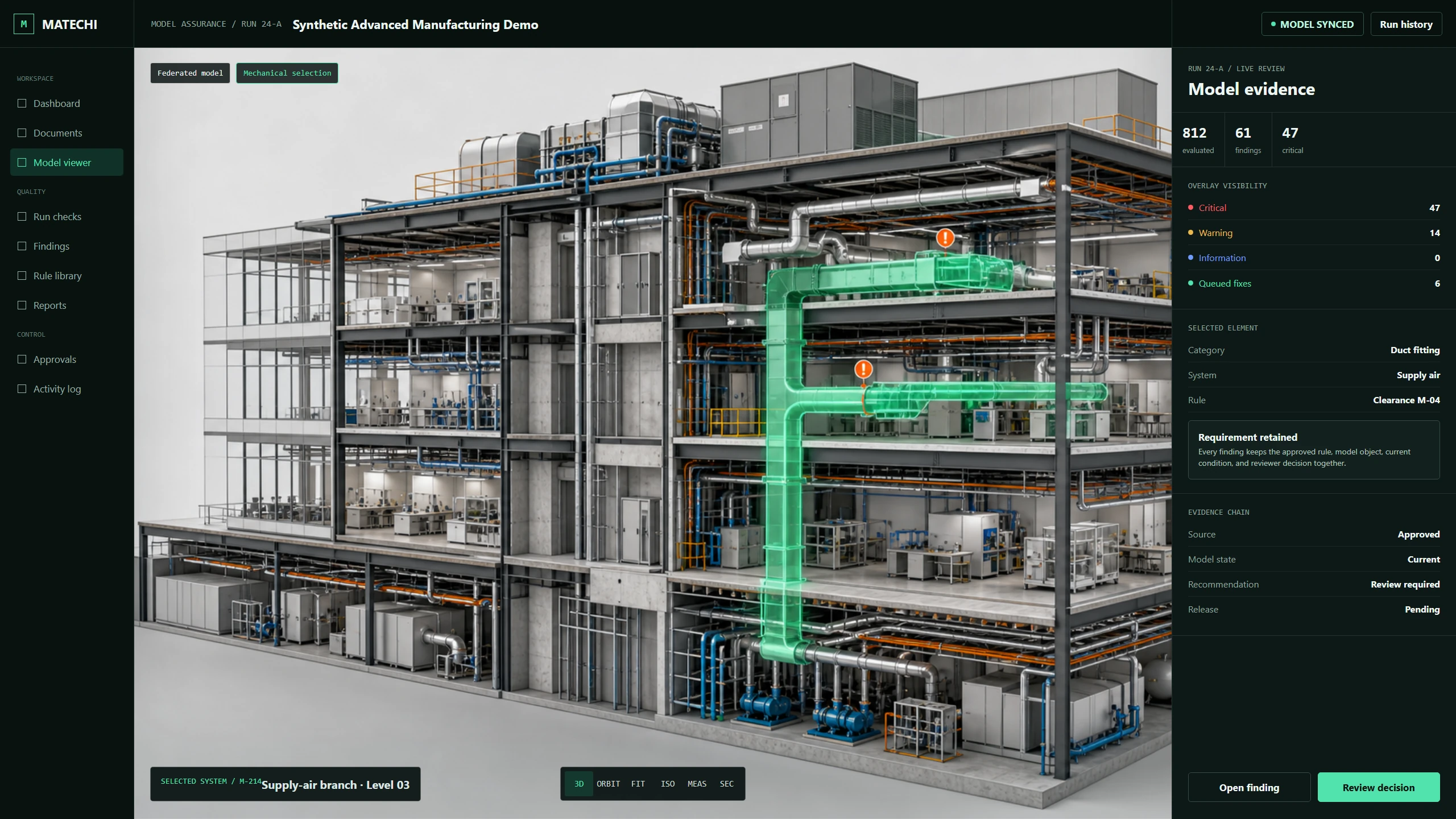
The wrong question is whether an AI system can change a Revit model. Software has been able to create, modify, and delete Revit elements for years. The useful question is whether a team can let an agent propose or perform a change while preserving scope, evidence, authority, reversibility, and accountability.
That distinction matters because model changes are rarely isolated. A shifted pipe may affect slope, clearance, supports, tags, fabrication intent, and another discipline's work. A renamed type may alter schedules and downstream exports. A technically valid API call can still be the wrong project decision.
Start With a Transaction Boundary
The Revit API organizes model changes through transactions. Autodesk's developer documentation describes transactions, sub-transactions, and transaction groups as the structures used to make and manage document changes. That is an implementation mechanism, but it also suggests an operating principle: every agent action should have a defined boundary and a known rollback path. See Autodesk's transaction classes documentation.
For a governed workflow, the transaction should not begin when the model check finds a problem. It should begin only after the system has assembled a proposed change package that a reviewer can understand.
- Target. Stable identifiers for every element the action may touch.
- Current state. The relevant parameters, geometry, host, system, and model version before the change.
- Governing requirement. The approved clause, rule, or project decision that justifies the proposal.
- Proposed state. Exact values or geometric movement, shown before application.
- Impact checks. Constraints that must still pass after the change, including clearances and dependent relationships.
- Authority. The person or role allowed to approve this class of action.
- Receipt. What changed, when, under which rule version, and with whose approval.
A Preview Is More Than a Screenshot
A useful preview lets the reviewer compare the existing condition with one or more valid proposed states. For a parameter correction, that may be a compact before-and-after table. For geometry, it should include a 3D view, movement vector, resulting clearance, affected systems, and any new conflicts introduced by the option.
Multiple options are often more honest than one confident answer. If a duct can move vertically or laterally, the system can score both against project constraints and explain the tradeoff. The reviewer can select an option, change a parameter, route it to another discipline, or reject the premise entirely.
Separate Deterministic Fixes From Coordination Decisions
Not every finding deserves an autofix button. A missing approved parameter value may be a bounded correction. A geometry change that affects another model is a coordination decision. A condition with insufficient project information is a request for input. The interface should make these categories visible instead of treating automation confidence as authority.
- Autofix eligible: deterministic, bounded, reversible, and covered by an approved rule.
- Preview and approve: more than one valid option exists, but impact can be checked in the current scope.
- Fix in Revit: the system can locate and explain the issue but should hand the decision to the model author.
- Coordinate or issue: another discipline, contract question, or missing requirement controls the answer.
- Defer or accept: a named reviewer records why the finding should not advance now.
Failure Handling Is Part of the Product
Revit can produce warnings, failures, and invalid states during a transaction. A safe agent needs to surface those outcomes, stop when a precondition changes, and avoid presenting a partial action as success. It should also verify the post-action state against the original rule and any impact checks. A successful API response is not the same as a successfully resolved model condition.
This is where broader AI governance becomes practical. The NIST AI Risk Management Framework emphasizes governed, mapped, measured, and managed risk. In a Revit workflow, those ideas become concrete controls: define the action class, retain evidence, measure accepted and rejected proposals, monitor failure patterns, and keep people responsible for consequential outcomes.
What to Measure in a Pilot
Do not judge the pilot by the number of changes the agent can make. Measure how often proposed changes are useful, how often reviewers modify or reject them, whether a change introduces another issue, how quickly a reviewer can reach a decision, and whether every applied result can be reconstructed from the receipt.
A practical first test uses one approved rule family and a representative model copy. The system should find the relevant conditions, show its applicability logic, preview eligible changes, apply only approved actions, rerun the checks, and export the complete record. If that loop is not trustworthy, adding more autonomy only increases the size of the uncertainty.
Matechi's QA/QC Agent is built around this reviewed path: cited findings, element-level evidence, multiple correction options where appropriate, explicit Fix in Revit and coordination routes, and approval before consequential model action. Open the public QA/QC report to inspect the finding and review structure.